How to change icons size on centos 7
How to change icons size
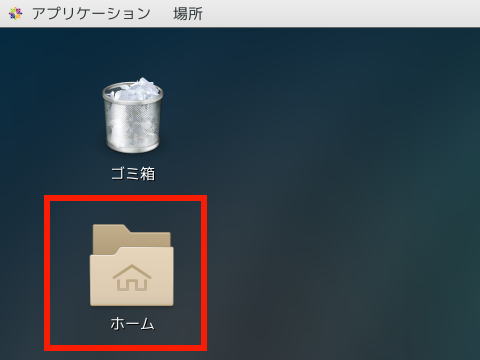
1.Click 「ホーム」icon surrounded by the red frame.(Click the image to see the enlarged image.)
2.Click No.1 icon to see No.2 icon,so click it.
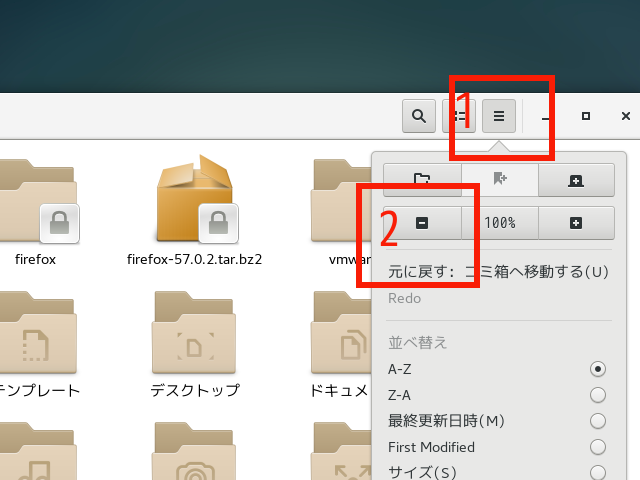
3.You can see 67% sized icons.

That’s all.
That’s all.